AI Assistant Guide
AI Assistant is available from the TheoryCraft dashboard to help inspect work, explain results, plan research, and perform supported actions when you allow it.
Last updated: June 26, 2026
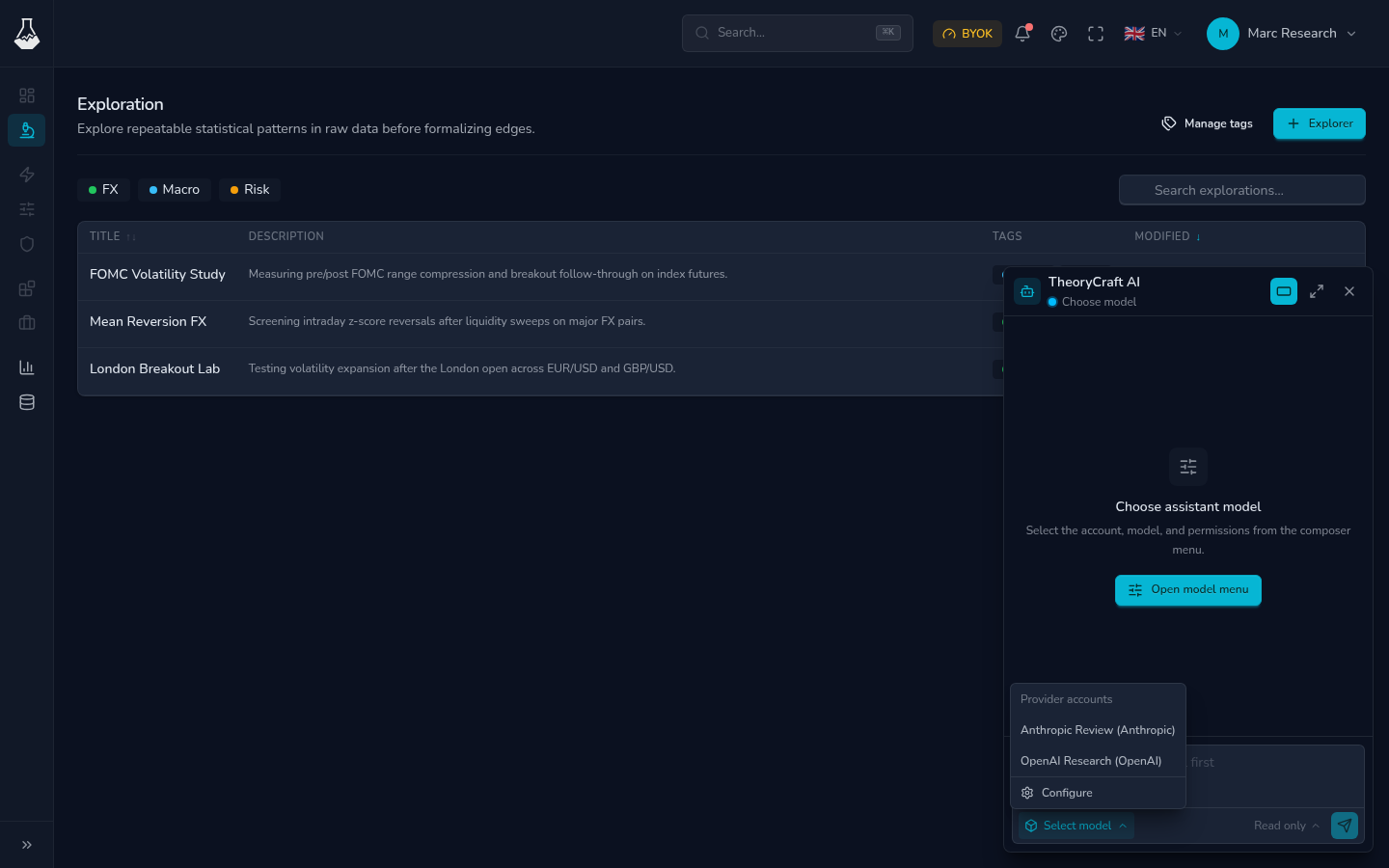
The assistant is not limited to a single page. It can work with the TheoryCraft pages and workspaces your account can access. If you want it to inspect a specific exploration, notebook, share, provider account, or usage page, name it clearly or open it before asking.
Good Uses
| Task | Example prompt |
|---|---|
| Review research | "Summarize the latest notebook result and list the weakest assumptions." |
| Plan next steps | "Give me a validation checklist before I share this notebook." |
| Edit workspace content | "Create a new notebook section comparing FOMC weeks with normal weeks." |
| Explain platform state | "Why am I blocked from starting another notebook session?" |
| Prepare a share | "Check this notebook for confusing scratch cells before I publish it." |
The assistant helps with research and platform workflows. It does not place trades, connect to brokers, or make risk decisions for you.
Permission Modes
Choose the smallest permission mode that fits the request.
| Mode | Use when |
|---|---|
| Read only | You want explanations, summaries, review, or a plan before anything changes. |
| Read/write | You want the assistant to create, edit, or organize supported TheoryCraft content. |
Read/write mode still depends on what you ask for and what your account is allowed to access. Keep requests specific so changes are easy to review.
Provider and Model
The assistant needs an available model provider. If no account is available, open AI provider settings and add one.
For each conversation:
- Select the provider account.
- Select the model.
- Select the permission mode.
- Ask a concrete question or task.
Start a new conversation when you want different provider, model, permission, or context assumptions.
Write Better Requests
Strong requests include the target, goal, and boundary:
- "In the London Breakout Lab exploration, review
main.ipynband tell me whether the conclusion follows from the outputs." - "Read only: inspect the Usage page and explain which notebook session I should stop."
- "Create a new markdown section in the current notebook summarizing assumptions. Do not change code cells."
- "Before I share this exploration, list anything that looks private or unfinished."
Avoid broad requests like "fix this strategy" unless you also say what result, notebook, or constraint matters.
Safety Habits
- Keep provider keys, account secrets, and private URLs out of prompts and notebooks.
- Review assistant edits before relying on them.
- Save notebooks before asking the assistant to inspect recent changes.
- Use read-only mode when you only need advice.
- Start a fresh conversation if the current one has outdated assumptions.
FAQ
Does the assistant need to be opened from an exploration?
No. It can work across supported TheoryCraft context. Opening or naming the target still helps it understand what you mean by "this exploration" or "this notebook".
Can the assistant trade for me?
No. It supports research and platform actions. Trading and risk decisions remain your responsibility.
When should I use an external assistant instead?
Use Connect an External Assistant when you want Codex, Claude, Cursor, or another MCP-compatible client to work with your TheoryCraft account.