Share Explorations
Explorations can be shared as public, read-only notebook snapshots when you want to show research without exposing the whole workspace.
Last updated: June 26, 2026
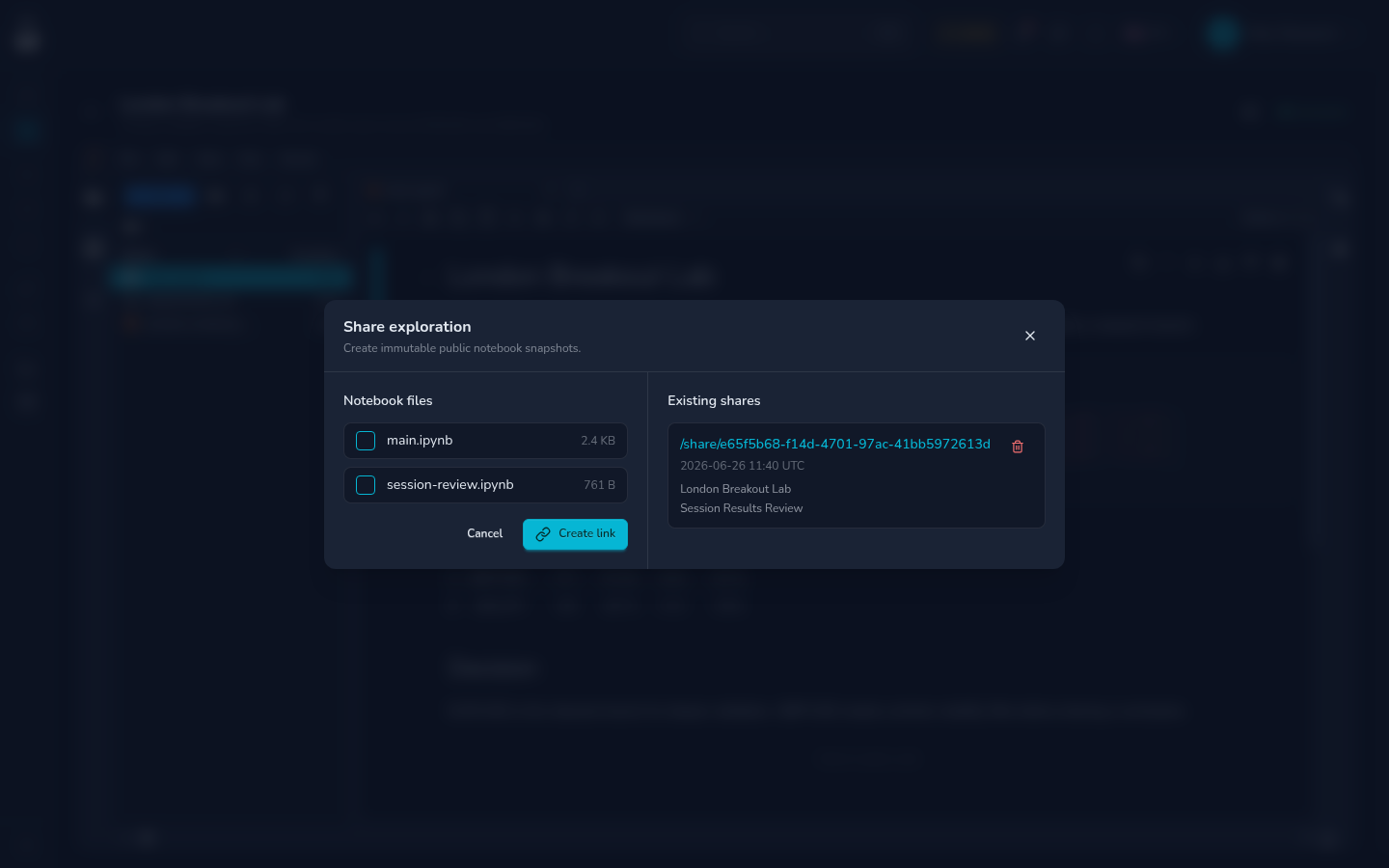
Use sharing for reviewed research: a notebook that explains the question, includes the relevant output, and is safe for someone else to read.
What Gets Shared
| Included | Not included |
|---|---|
| Selected notebook files | Unselected notebooks |
| Notebook markdown and code cells | Private workspace files that are not selected |
| Saved outputs that are part of the notebook | Future edits after the share is created |
| A public read-only link | Write access to your exploration |
Shares are snapshots. If you edit the notebook later, create a new share when you want the public version to reflect the update.
Create a Share
- Open the exploration.
- Save the notebook you want to publish.
- Click the share action.
- Select one or more notebook files.
- Create the link.
- Open the public link and review it before sending it to anyone.
Only notebooks are selectable from the share dialog. Keep supporting explanation inside the notebook if readers need it.
Review Before Publishing
Check the notebook for:
- API keys, tokens, account IDs, private URLs, or copied secrets.
- Scratch cells that are confusing or no longer relevant.
- Outputs that reveal data you did not intend to publish.
- Missing context around the hypothesis, assumptions, and conclusion.
- Broken charts or empty outputs.
If you are unsure, duplicate the exploration or notebook, clean the copy, and share the cleaned version.
Manage Existing Shares
The share dialog lists active public links for the exploration. Use it to copy links, see which notebooks are included, and revoke links that should no longer be public.
Revoking a share invalidates the public URL. It does not delete the exploration or the original notebook.
FAQ
Can someone edit my notebook from a public share?
No. Public shares are read-only.
Does a share update automatically when I edit the notebook?
No. Create a new share when you want a new public version.
Can I share requirements.txt or other files?
The share dialog is for notebooks. Put reader-facing context inside the notebook before creating the share.