Billing and Usage
Usage shows your current TheoryCraft plan limits, active notebook sessions, and recent usage activity.
Last updated: June 26, 2026
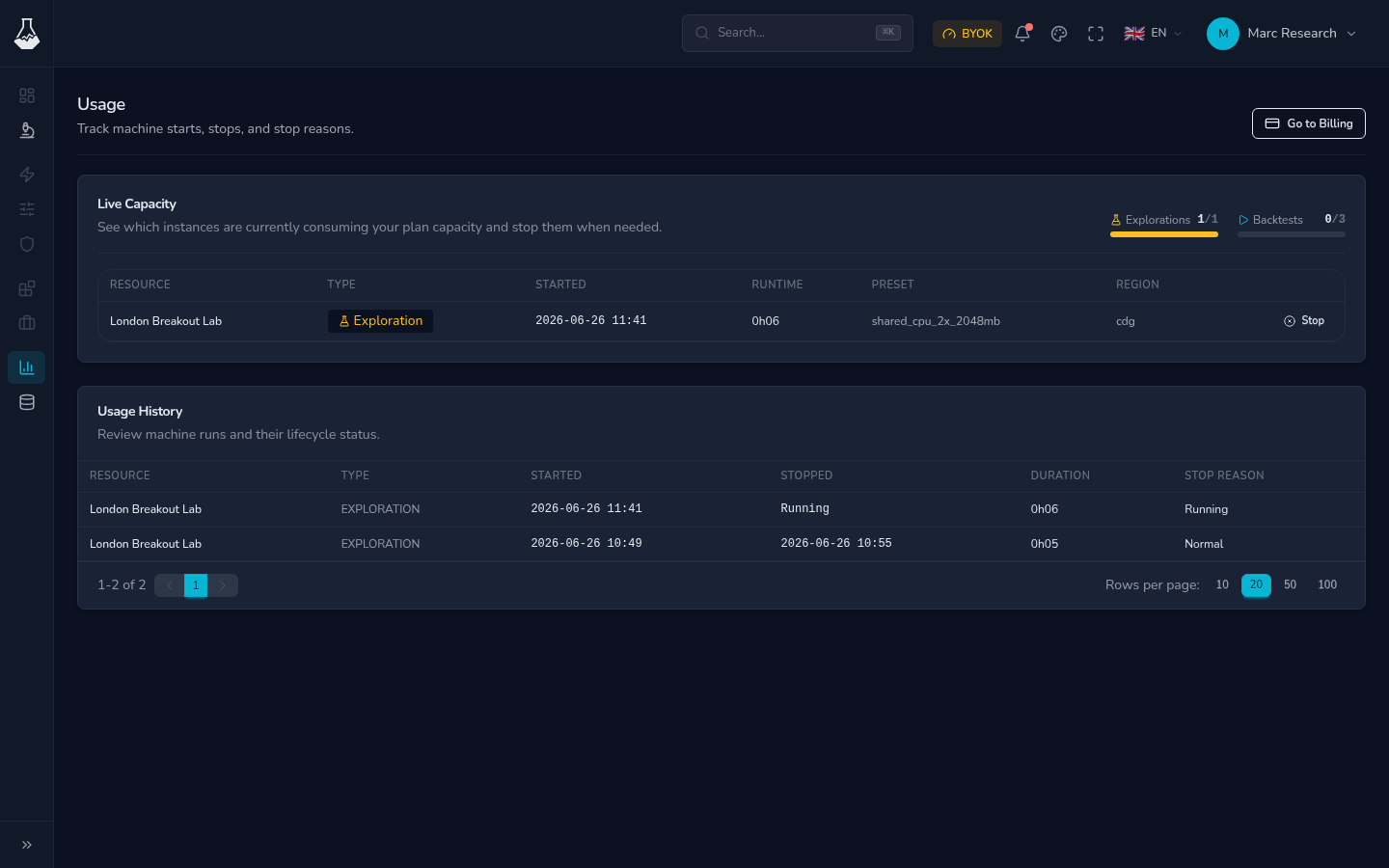
Use it when a notebook cannot start, when you want to see what is still running, or when you need to understand which plan features are available.
Usage Page
| Area | What it tells you |
|---|---|
| Current plan | The plan currently attached to your account. |
| Active sessions | Notebook sessions that are currently using plan capacity. |
| Limits | How many sessions or features your plan allows. |
| Recent activity | What started, stopped, completed, or failed recently. |
If you are blocked from starting another notebook session, this is the first page to check.
Billing Page
Billing is where you review plan options and billing actions. Depending on your account, it can show upgrade choices, subscription status, or a link to manage billing.
Use Usage for operational questions and Billing for plan or payment questions.
Manage Active Sessions
Stop notebook sessions you are not using. This is especially important when:
- You finished a research pass.
- You moved to a different exploration.
- A previous tab is still running work.
- Your plan limit is blocking a new session.
Stopping a session does not delete the exploration files. Save notebooks first so recent edits are preserved.
Troubleshooting
| Symptom | What to check |
|---|---|
| A notebook cannot start | Open Usage and check active sessions and plan limits. |
| Usage looks higher than expected | Look for sessions left open in other explorations. |
| Billing status seems stale | Refresh Billing or follow the billing portal link if available. |
| Assistant says access is unavailable | Confirm your plan and provider setup. |
FAQ
Does stopping a session delete my notebook?
No. Stopping frees active capacity. It does not delete saved exploration files.
Where do I upgrade or manage payment details?
Use Billing. Use Usage when you need to understand active work and limits.