AI Provider Accounts
AI provider settings let you connect model provider accounts that the TheoryCraft assistant can use.
Last updated: June 26, 2026
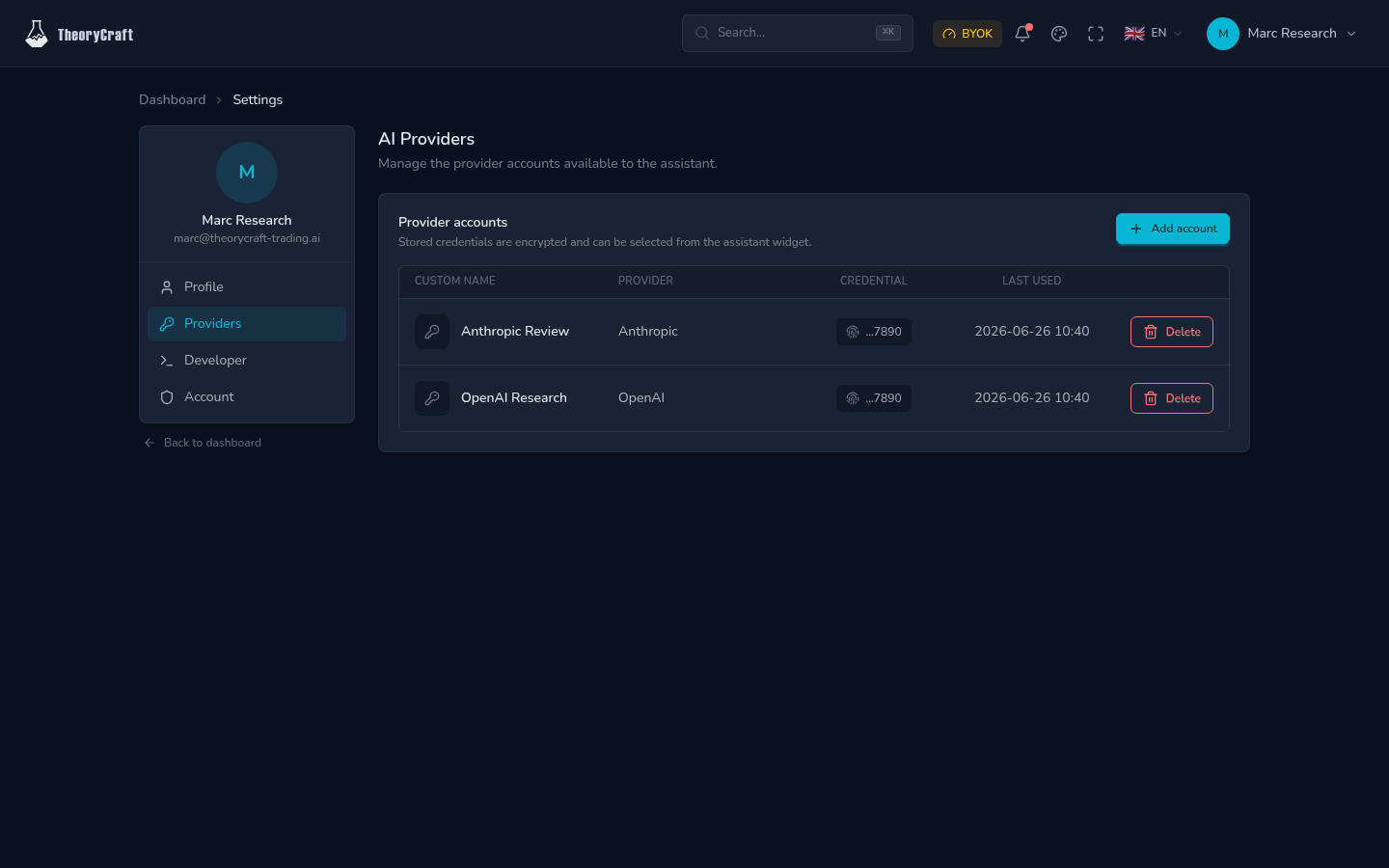
Use provider accounts when you want the assistant to run through your own model provider, keep separate work and personal accounts, or choose between models for different research tasks.
Add a Provider Account
- Open AI provider settings.
- Click Add account.
- Search for the provider.
- Paste the provider credential requested by the form.
- Add a clear label, such as "OpenAI Research" or "Anthropic Work".
- Save the account.
After saving, the credential is masked in the UI. Use labels to make account selection obvious later.
How Provider Accounts Are Used
| Setting | What it controls |
|---|---|
| Provider | Which company or service supplies the model. |
| Label | The name you see when selecting an account. |
| Credential | The key or token used to call the provider. |
| Last used | When the assistant last used that saved account. |
Provider accounts do not control market data. Use Data Sources when you need to inspect market coverage.
Choose Accounts in the Assistant
Open the AI Assistant, then choose the provider account and model for the conversation. If you need to change provider, model, or permission mode, start a fresh conversation so the assumptions are clear.
Security Habits
- Do not paste provider keys into notebook cells, exploration descriptions, or assistant messages.
- Use separate labels for personal, work, and experiment accounts.
- Delete accounts you no longer want the assistant to use.
- Rotate a key from the provider dashboard if you think it was exposed.
Deleting a provider account stops it from being selected in future assistant conversations. It does not delete prior notebooks or exploration work.
Troubleshooting
| Symptom | What to try |
|---|---|
| Provider is hard to find | Use the provider search in the add-account dialog. |
| Saved account is confusing | Rename by deleting and re-adding it with a clearer label. |
| Assistant says no provider is available | Add an account or select a plan that includes assistant access. |
| Provider requests fail | Check the provider dashboard, quota, key status, and selected model. |
FAQ
Can I save multiple accounts for the same provider?
Yes. Use labels to distinguish them.
Are AI provider accounts the same as data sources?
No. AI provider accounts power assistant conversations. Data sources provide market data for research.